The Ultimate Auto Clicker for macOS
Automate repetitive tasks effortlessly. Featuring human-like randomization, drag & drop simulation, scheduled runs, and unlimited presets—built natively for Apple Silicon and Intel.
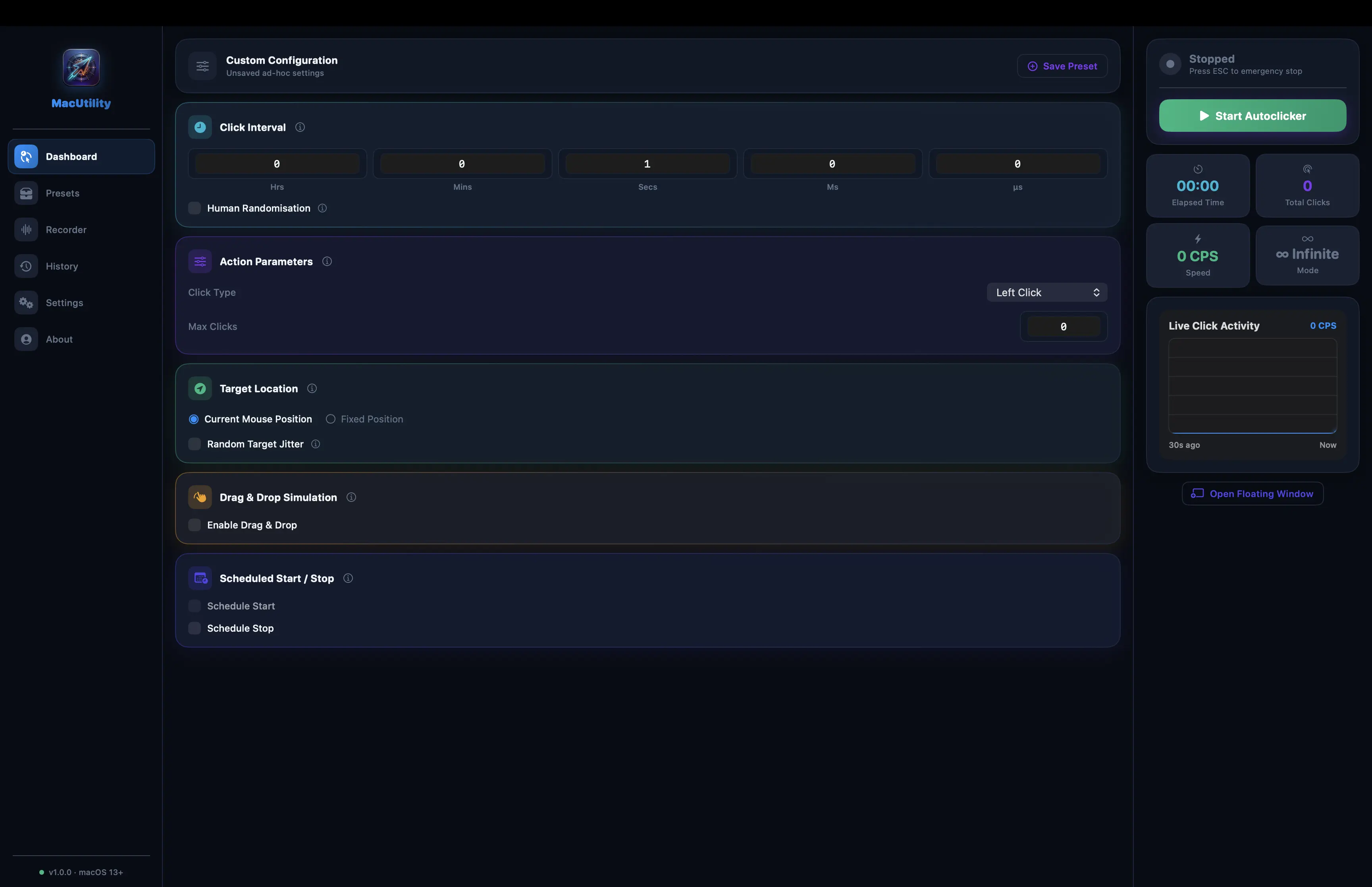
Engineered for Performance & Stealth
Everything you need to automate your workflows, without the risk of being flagged by anti-cheat engines.
Microsecond Precision
Define your click intervals down to the microsecond for unparalleled speed and accuracy.
Human Randomization
Add randomized jitter to intervals and target coordinates to bypass anti-cheat detection effortlessly.
Unlimited Presets
Create, save, and switch between infinite configurations. Perfect for bouncing between games and apps.
Choose Your Tier
MacUtility is free forever for basic needs. The Premium tier unlocks advanced automation capabilities for power users.
Features
Compare what's included in each tier.
Free Tier
Perfect for casual users who need basic, reliable auto-clicking capabilities.
Premium 👑
For power users requiring advanced randomization and multi-point sequencing.
Ready to Automate?
Join thousands of macOS users who have supercharged their productivity and gaming with MacUtility.
Install MacUtility Free